On this day · 2 years ago

The pumpkin was bigger than him.
A home for your family’s memories
Every giggle, first step and bedtime story deserves a place to live. StoryDays finds your child in the photos already on your iPhone and helps you turn everyday moments into keepsakes your family will treasure for years.




Why it matters
The tiny hands, the first words, the everyday adventures — the moments you wish you could pause. These are the days you’ll want to remember. Most of them are already in your camera roll, somewhere between screenshots and receipts.



What StoryDays does
StoryDays gathers your child’s photos, helps you make something beautiful from them, and brings the best moments back when you least expect it.
Your photos, found
StoryDays looks through the photos already on your iPhone and gathers every one your child is in. The search runs on your phone, keeps going in the background and picks up where it left off — your library is never uploaded to do it.
No more scrolling through thousands of photos to find last summer.
Camera roll








Studio · Templates
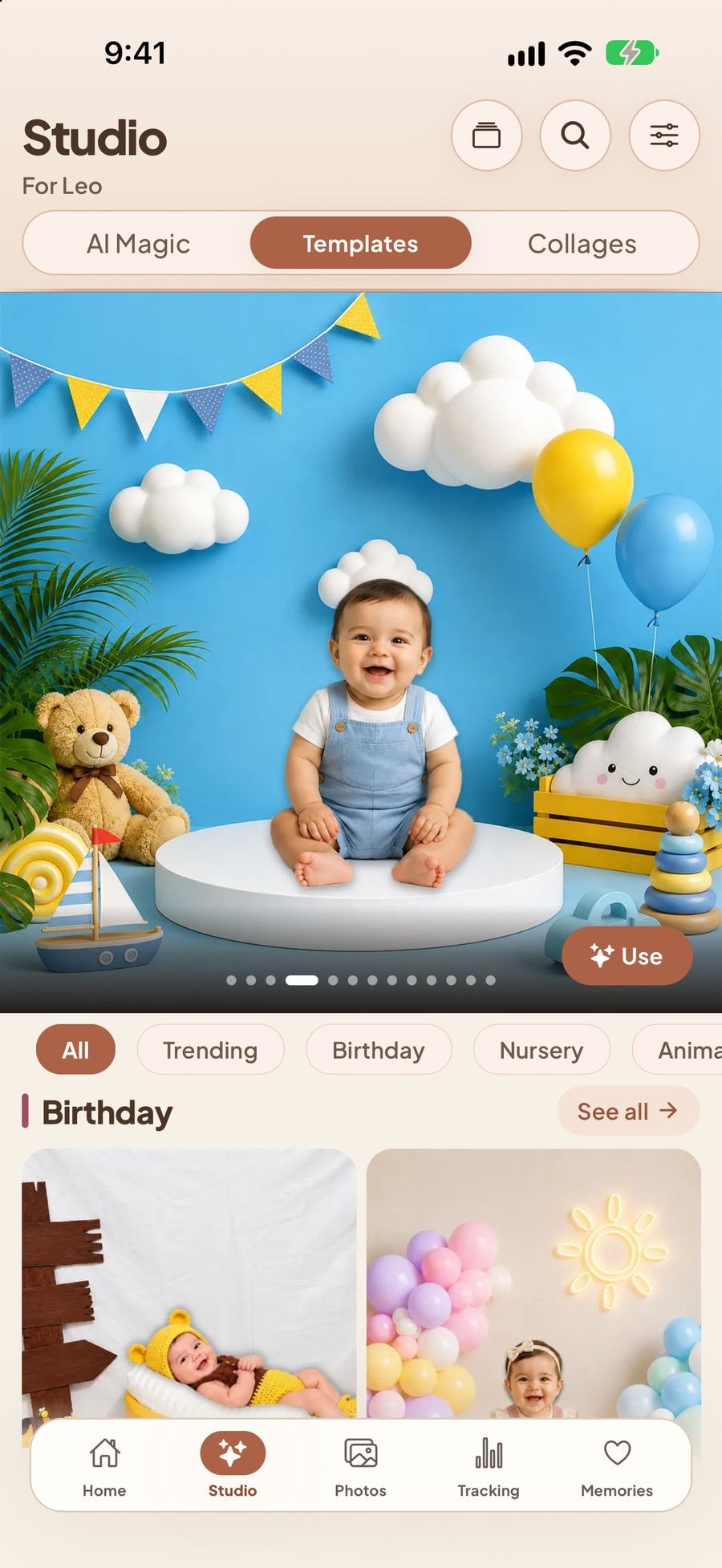
Pick a design — a birthday, a season, a nursery theme — and add a photo. StoryDays lifts your child out of the background right on your phone and sets them into the scene. Add words and stickers, then save it or share it.
The monthly photo you meant to make — done before the coffee gets cold.

Studio · AI Magic
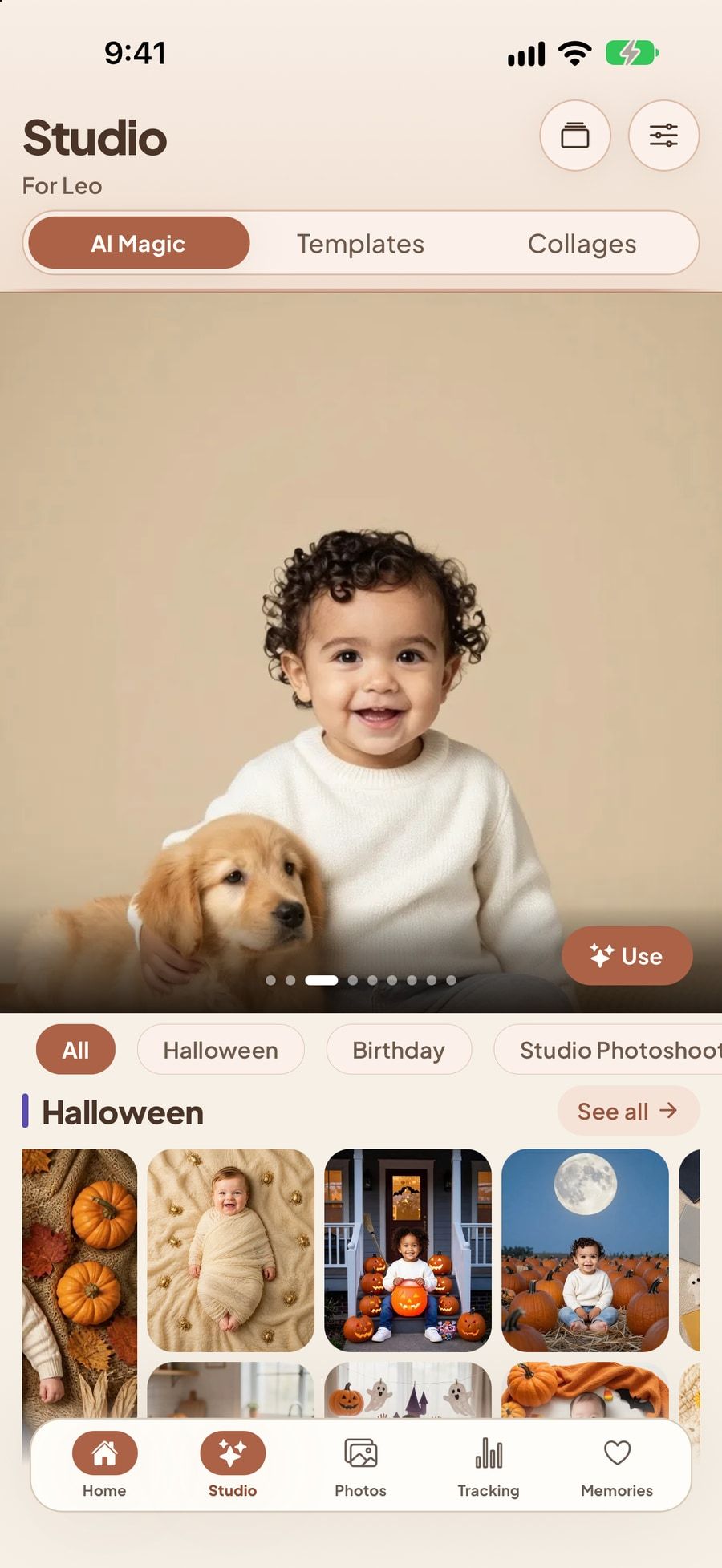
Choose a look — a pumpkin patch, a studio portrait, a birthday party — and one photo of your child. StoryDays creates a brand-new picture, and checks the result still looks like your child before you see it.
Free plan: one AI Magic a day, up to five in total. Pro: up to 100 a month. How the photo is handled, and by whom, is set out in Privacy Policy section 6.

Studio · Collages
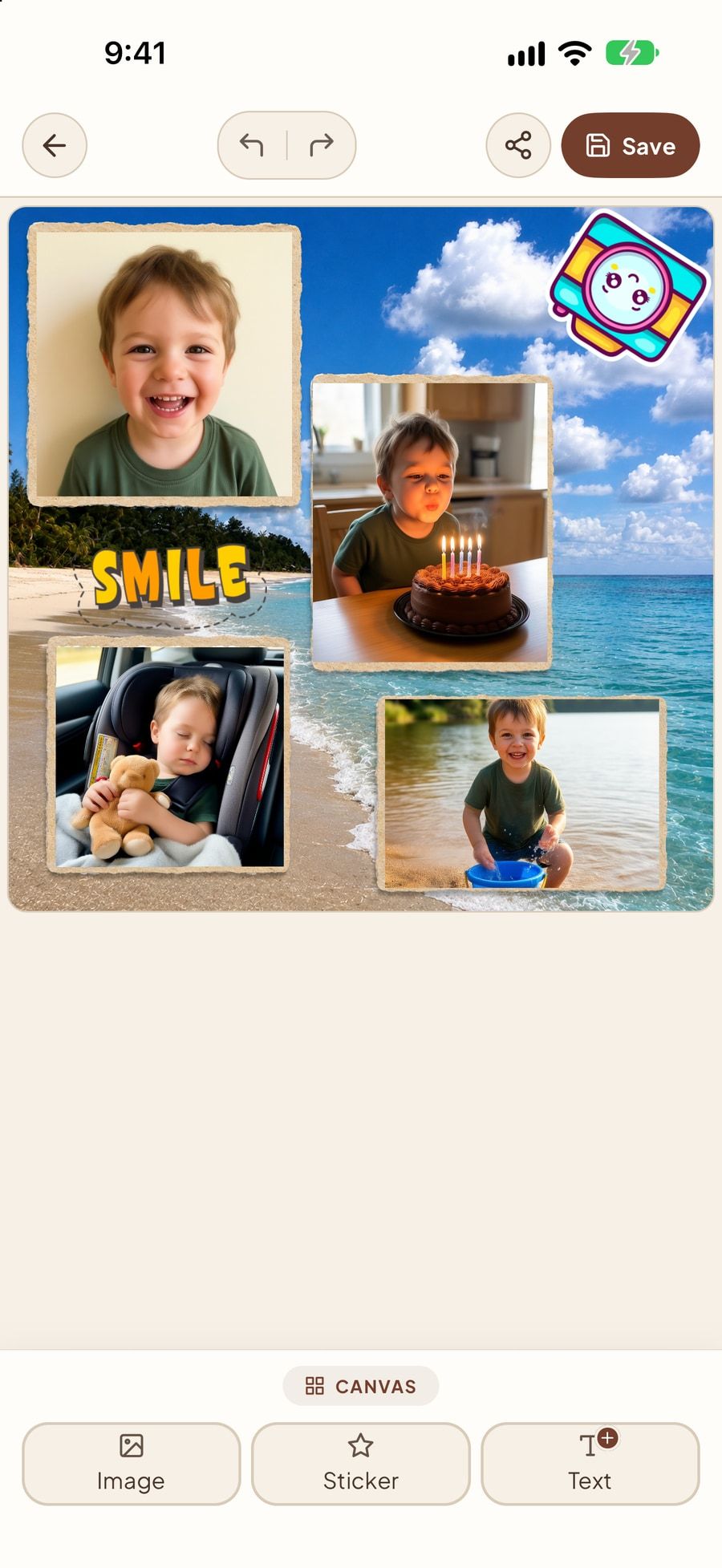
Pick a layout and StoryDays fills it with your child’s photos — or choose each one yourself. Swap, crop and decorate until it feels just right, then save it to your Photos or share it.
A whole summer on one page — the kind grandparents ask for.



Stories & slideshows
Turn a month, a birthday or a whole year into a short film. Choose a theme, transitions and music, record a voice-over if you like, and save it as a video to share with family.
A preview made on this page from Leo’s photos. In the app, stories are made from yours.
Memories
On this day, a timeline of everything you’ve kept, a Year in Review written from your real moments, and time capsules you can seal for a birthday years from now. StoryDays brings back what you’d otherwise scroll past.
Because the best part of a memory is finding it again.
On this day · 2 years ago
The pumpkin was bigger than him.
Time capsule
Inside: photos and a voice note
Year in Review

Aria’s first year
Voice note · First words
And everything around the photos
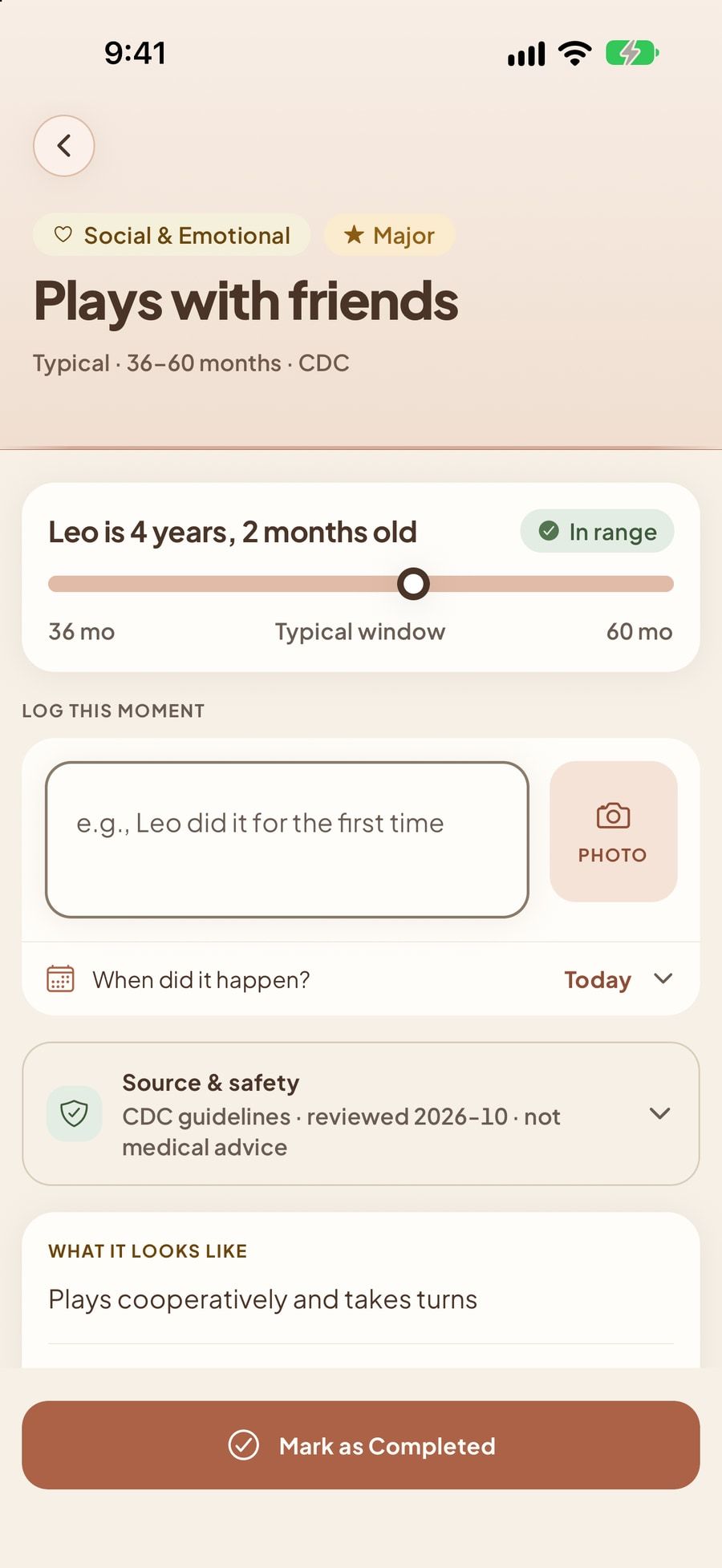
From the first smile to the first day of school, with typical age windows from CDC guidance. Log the moment with a photo.
Height, weight and head size on WHO and CDC percentile charts — with a PDF to bring to check-ups.
A few lines, a photo, a voice clip. Writing prompts for the days you don’t know where to start.
One photo a day becomes a timelapse of your child growing up, month by month.
StoryDays is a record keeper, not a medical device. It does not diagnose anything — always talk to a health professional about your child’s health.
Take a look inside
These are actual StoryDays screens, signed in to our demo account for Leo.
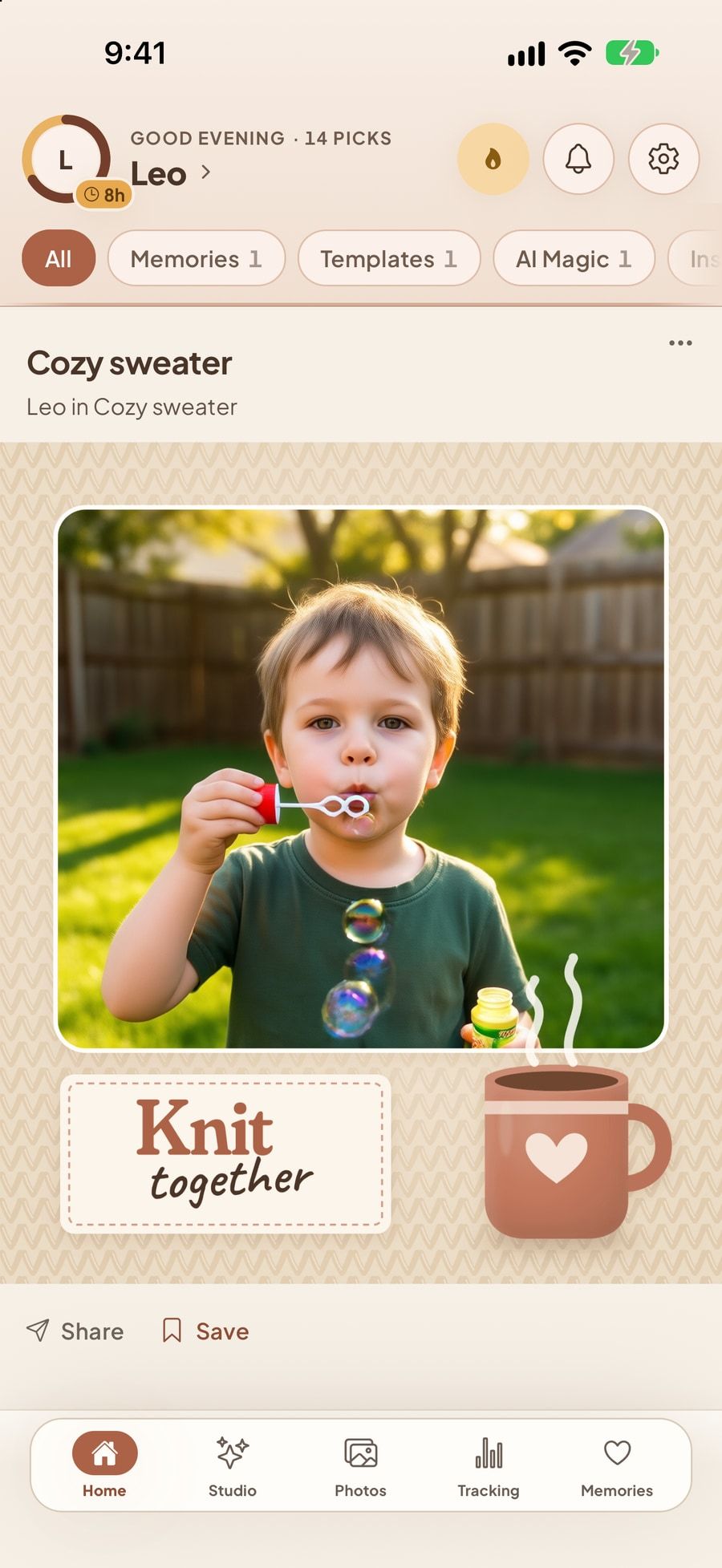
Home greets you with fresh picks made from your child’s own photos — a design, a collage, a memory from this day — ready to save or share.
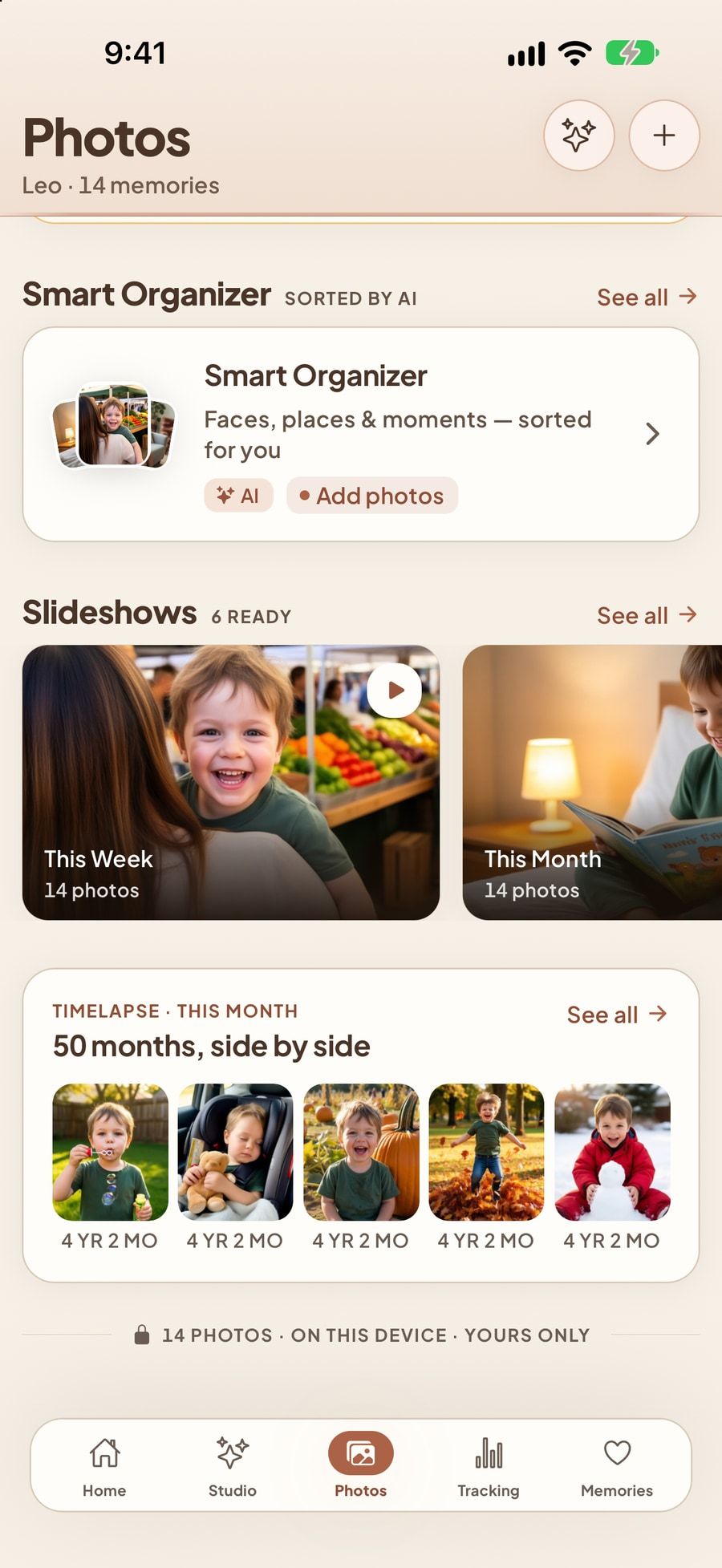
Smart Organizer, ready-made slideshows and a month-by-month timelapse, built from the photos StoryDays found on your phone.
Pick a look and a photo. AI Magic stays off until you allow it.
Birthdays, nursery themes, seasons and trending designs, filled with your photo.
Swap photos, add a sticker or a few words, undo anything — then save.
Typical age windows from CDC guidance, and a place to note the day it happened.
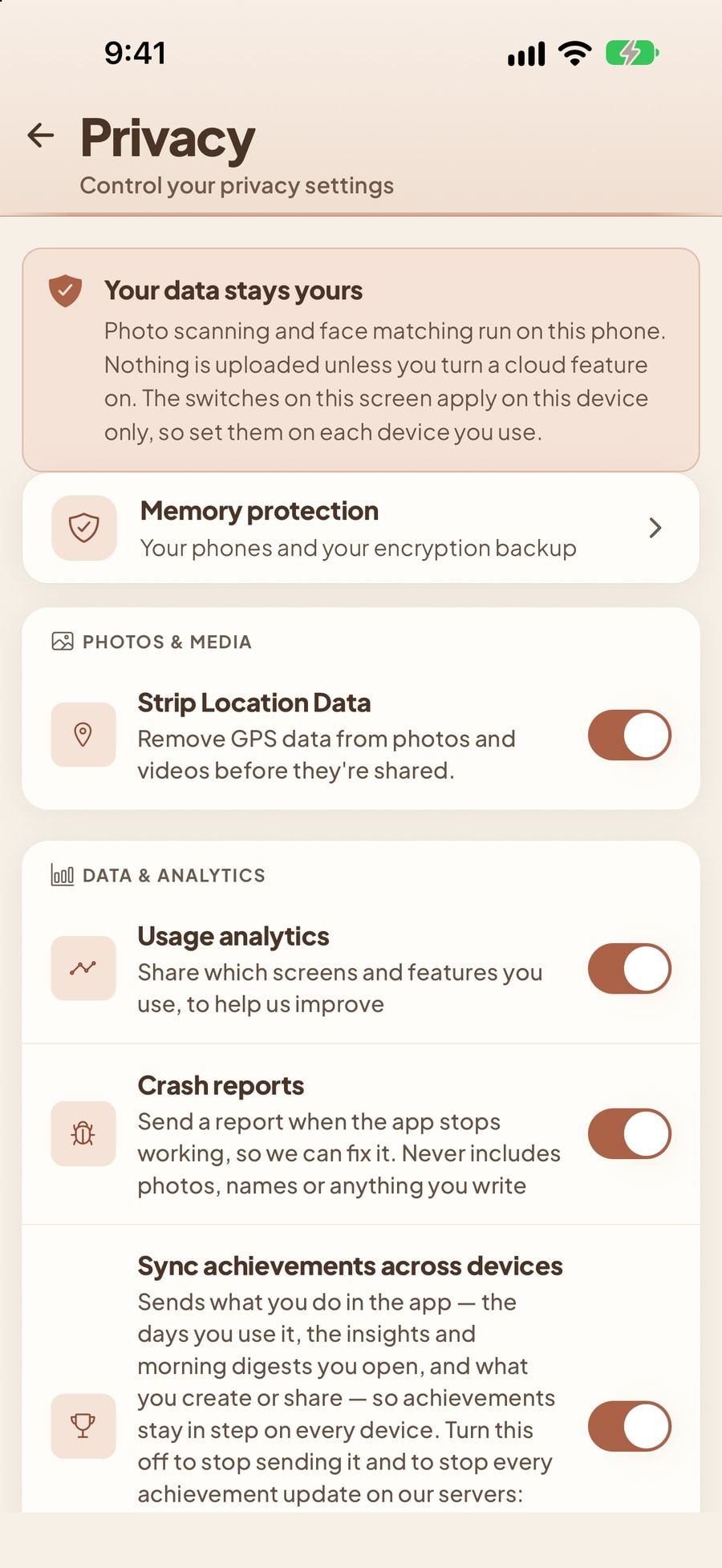
See what runs on your phone, strip location from photos you share, and choose what — if anything — is sent.
The long view
Flour on a nose. A sock that never matched. The ordinary days are the ones you’ll miss most.
Birthdays, first steps, first days of school — gathered, dated and easy to find.
One day they’ll ask what they were like at three. You’ll have the answer ready.
Privacy & trust
Photos of your children are the most personal thing on your phone. So StoryDays does as much as it can on the phone itself, asks before anything leaves it, and tells you in plain words where it goes.
Read the Privacy Policy Consumer Health Data Policy Delete your account

Finding your child in your photos runs entirely on your phone. Your photo library is never uploaded to do it, and the face data it creates never leaves the device.
Privacy Policy, section 3: Face matching stays on your iPhoneOn the current app, the photos, videos and voice recordings you save, your child’s profile, your journal and growth measurements are end-to-end encrypted before they reach our servers — we can’t read them.
Privacy Policy, section 9: What you save is encrypted on your phoneAI Magic and AI Enhance stay off until you allow them. Then the photo you choose is sent to our image partners, Runware and Pruna AI, who may keep a copy for a time. Section 6 sets out everything we know about that.
Privacy Policy, section 6: AI features only when you say soThere is no advertising in StoryDays, and we don’t sell your data or share it with advertisers. Every company that helps run the app is named in the policy.
Privacy Policy, section 6: No ads. Your data is never sold.Accounts are for parents and guardians aged 18 or over. Your child is never a user, can’t sign in, and is never shown advertising.
Privacy Policy, section 4: Your child never has an accountExport a copy of your records or delete everything at any time. When you delete your account, it’s gone from our servers and backups within 30 days, apart from records the law makes us keep.
Privacy Policy, section 8: Take it with you, or delete it allPlans
Everything you record is yours on either plan. If Pro ever ends, nothing is deleted — you simply go back to the free limits for making new things.
Everything you need to begin
For families who make a lot of memories
Pro is a subscription through the App Store. The price is shown in your own currency before you confirm, and if a free trial is available the App Store shows how long it lasts. Cancel any time in your App Store settings — at least 24 hours before it renews. Limits as of October 2026; the app always shows the current ones.
Start turning everyday family moments into memories you’ll love coming back to.
Coming soon to the App Store
Want to know the day it’s ready? Write to hello@storydays.app.
Questions
Anything else? Write to support@storydays.app or visit Support.
StoryDays is a memory keeper for parents. It finds your child in the photos already on your iPhone, keeps milestones, journal entries, voice notes and keepsakes together, and gives you creative tools — templates, collages, AI Magic, slideshows and stories — to turn everyday moments into something worth keeping.
Parents and guardians, from the newborn weeks through the school years. Accounts are for adults aged 18 or over; your child is never the account holder and can’t sign in.
Once you pick a few clear photos of your child, StoryDays looks through the photos on your iPhone and gathers the ones your child is in — on your phone, in the background. It then sorts them (best shots, smiles, who’s in them), builds a timeline, and brings moments back with “On this day”, Year in Review and time capsules.
Template designs for birthdays, seasons and milestones; collages; AI Magic pictures; slideshows and stories with music and voice-over, saved as video; and a growth timelapse from daily snapshots. Everything can be saved to your Photos or shared.
Two different ways. Finding your child in your photos and cutting a photo out of its background run on your iPhone — nothing is uploaded for them. AI Magic and AI Enhance are different: they stay off until you allow them, and then the photo you choose is sent to our AI server and to our image partners, Runware and Pruna AI, to create the result. They may keep a copy for a time; Privacy Policy section 6 sets out exactly what we know. Images you save from them carry a small “AI” mark.
No — photo access is optional. Milestones, growth records, the journal, time capsules, keepsakes and voice notes all work without it. If you allow only selected photos, StoryDays can see only those. Photos that are only in iCloud are skipped rather than downloaded.
What you save is stored in your private account so it can sync to your devices. On the current app, the photos, videos and recordings you save, your child’s profile, your journal and growth measurements are end-to-end encrypted on your phone before they reach our servers, so we can’t read them. We don’t sell your data and there are no ads. The full detail — including every company that helps run the app — is in the Privacy Policy, and health information is covered by our Consumer Health Data Policy.
Yes. The free plan includes one child profile, finding your child in your photos, milestones, the journal, growth charts and the timeline, plus a taste of the creative tools — templates, collages and AI Enhance once a day (five in total), and AI Magic once a day (five in total).
Up to ten child profiles; unlimited templates, collages and AI Enhance; up to 100 AI Magic creations a month; unlimited time capsules, keepsakes and voice notes; no watermark; and daily snapshot insights with Growth Tracker Pro. The price is shown in your currency in the App Store before you subscribe. Compare the plans.
Subscriptions are billed by Apple. In the app, open Settings ▸ Subscription and tap Manage or cancel, or go to iOS Settings ▸ your name ▸ Subscriptions. Cancel at least 24 hours before it renews. You keep Pro until the end of the period you paid for, and nothing you’ve made is deleted. More on the Support page.
StoryDays is coming to iPhone, for iOS 15.5 or later, in ten languages.
Email support@storydays.app — a real person reads every message and replies within two business days. Answers to common questions are on the Support page.